



Clear listing copy you can post without rewriting from scratch.
Real Estate Video Editor Without Editing
Skip the timeline, templates, and editing skills. Upload listing photos and let Outlist create the real estate video, post copy, and share page.
For agents who need video output without learning a video editor.


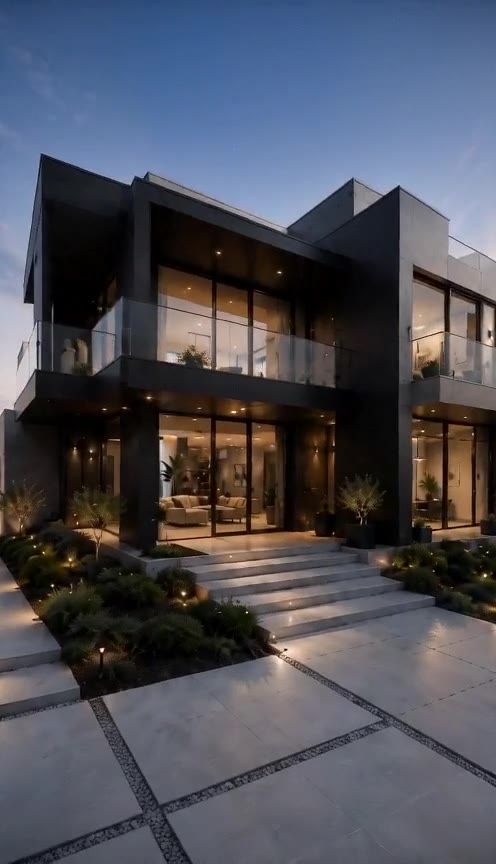
Modern Coastal Retreat
4 Bed • 3.5 Bath • 2,850 Sqft
LISTING MOMENTS
What Outlist replaces in the editing workflow
A traditional real estate video editor asks agents to manage scenes, timing, captions, exports, and post copy. Outlist packages those steps into one listing workflow.
No timeline editing
Avoid trimming clips, dragging scenes, and adjusting every transition by hand.
No blank templates
Choose the listing goal instead of starting from a generic video layout.
No copywriting handoff
Generate the post copy with the video package.
No separate share page
Keep the video and listing story together for sellers, buyers, and channels.
NO-TIMELINE VIDEO EDITOR
Start with listing photos, not an empty timeline
Upload the listing photos you already have. Outlist handles the video package workflow so agents can move from property assets to ready-to-post content faster.
Upload listing photos
Use 6-9 property photos for a stronger listing story.
Drag photos to set the buyer journey.
Use the no-editing workflow for common listing moments
Each goal gives the generated video package a clearer marketing angle.
Just Listed
Price Drop
Open House
Luxury Listing
Most real estate video editors still make agents do the editing work.
A timeline editor can be powerful, but it adds friction when the job is simple: turn property photos into a polished listing video. Agents still have to choose templates, arrange clips, write copy, export the video, and prepare the post.
Outlist is an AI real estate video editor built around the listing workflow.
Instead of opening a complex editor, agents upload photos, add listing details, choose the marketing moment, and generate a video package. The output includes the Reel plus supporting post copy and a share page.
A real estate video maker for agents who do not want editing
People searching for a real estate video editor often want the result of editing, not the work of editing. Outlist is positioned for that intent. It helps agents create listing videos from existing property photos without learning a timeline, choosing a traditional template, or rebuilding post assets in separate tools. This makes the page relevant for real estate video editor, AI real estate video editor, and real estate video maker searches while keeping the product promise focused on ready-to-post listing packages.
How Outlist creates listing videos without manual editing
The workflow starts with property photos and ends with a complete package agents can review and publish.
Upload the listing photos
Start with the images from the property instead of building a timeline.
Add the listing brief
Provide the property details, selling points, location, and agent contact path.
Choose the marketing moment
Pick Just Listed, Open House, Price Drop, or Luxury Listing so the video has the right angle.
Generate the package
Get the vertical listing video plus post copy and a share page.
WHAT YOU GET
The output of a video editor, packaged for listing marketing
Outlist gives agents the assets they usually need after editing: the Reel, post copy, and a shareable listing page.
Sun-filled boutique residence in the heart of Manhattan.
Open-concept layout, floor-to-ceiling windows, and modern finishes throughout — flexible enough for everyday living or a home office setup. Steps from dining, shopping, and transit.
Book a private tour today.
Alex Miller | Miller NYC Homes Team


Frequently Asked Questions
What is a real estate video editor?
A real estate video editor helps turn property assets into videos for listing marketing. Outlist focuses on a no-editing workflow: upload listing photos, add details, and generate the video package.
Is Outlist an AI real estate video editor?
Yes. Outlist uses AI to help create real estate listing videos from property photos and listing details, then packages the result with post copy and a share page.
Do I need to use a timeline editor?
No. Outlist is designed for agents who want the output of a real estate video editor without managing a timeline, templates, transitions, or exports by hand.
Can I use Outlist as a real estate video maker?
Yes. Agents can use Outlist as a real estate video maker for Just Listed, Open House, Price Drop, and Luxury Listing content.
What do I get after generating?
You get a vertical listing Reel, post copy, and a public share page that keeps the video and listing details together.
Can I post the video on social media?
Yes. The generated video package is built for channels like Instagram Reels, TikTok, YouTube Shorts, Facebook, LinkedIn, email, and direct share links.
Also explore What is Outlist? · AI Real Estate Video Generator · Turn Real Estate Photos into Video · Real Estate Video Templates.
Create the listing video without opening an editor
Upload property photos and generate the ready-to-post package in one workflow. View Pricing or See Everything Included.
Related pages